
Define the records the business needs first
Start with real follow-up needs to define fields for companies, contacts, business requirements, and sources. The scope of information should serve a specific task; more fields cannot substitute for understanding the business.
- Specify which fields require sources
- Distinguish companies, contacts, and requirements
- Keep unknown information marked as awaiting confirmation
Separate public facts from judgment
Products, channels, and signs of potential cooperation can inform a fit assessment, but a lead is not evidence of purchasing intent. Records should distinguish original information from analytical suggestions.
- Record the original page or document
- Note when information was updated
- Retain the basis for matching decisions
Design duplicate and update handling
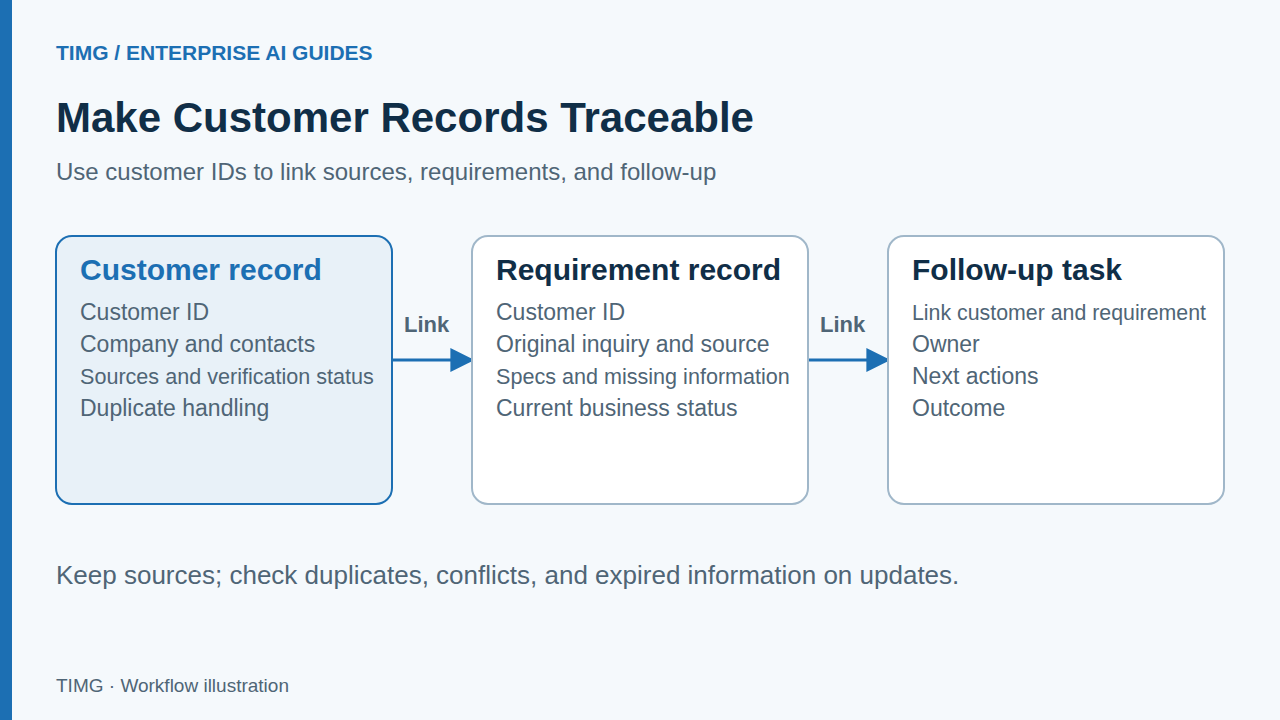
The same company may appear through multiple channels or already have historical records. Before writing to CRM, agree on how to identify existing records, add new information, resolve conflicts, and preserve change history.
- Look up existing records before creating new ones
- Do not overwrite valid existing information
- Specify who confirms conflicting information
Lighting export example: organizing purchasing company information
An application can read public business descriptions and organize lighting categories, sales channels, and possible conversation topics. A salesperson decides whether to contact the company, what strategy to use, and what pricing terms to offer.
For example, the same purchasing company may use different abbreviations in trade show records and on its website. Check its domain, address, and existing customer ID. If only its relevant business activities can be verified, retain those facts and sources; budget, purchasing timing, and order intent still require subsequent conversation.
- Use public sources to support records
- Research findings are not order requirements
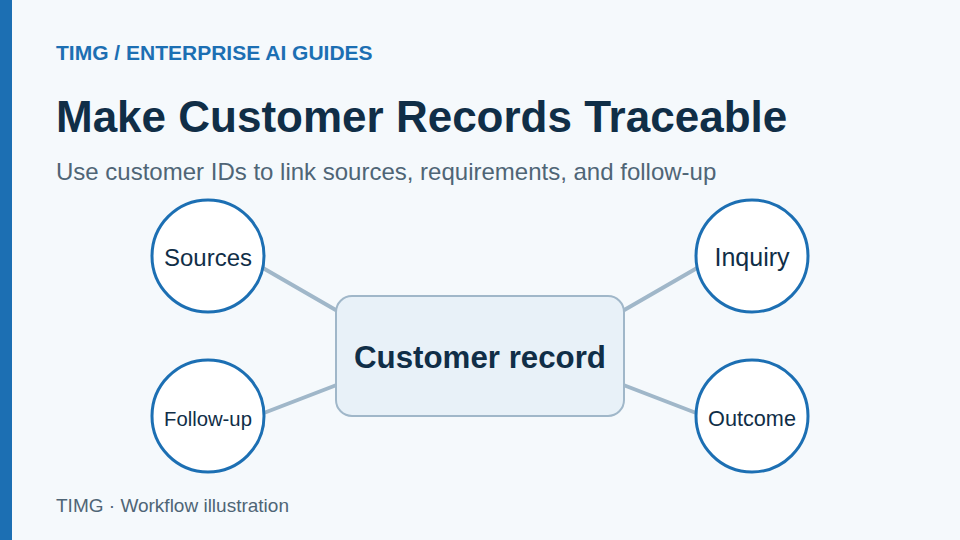
- Link later inquiries to the same customer
Judge acceptance by whether users can follow up
Sample records to check that sources support them, companies are not duplicated, and follow-up staff can use them directly. Preserve exceptions for uncertain information or unavailable sources and arrange verification.
- Validate record accuracy and usability
- Track duplicate and conflict resolution
- Adjust fields and rules based on feedback
Define a usable customer record first
Prepare the following materials and review each item with the business owner. The specific fields and criteria should reflect the workflow you select.
- Use separate fields for companies and contacts, retaining company identifiers, contact roles, and assigned owners.
- Retain the source, retrieval time, and verification status of each external item; leave unknown information blank.
- Rehearse matching and merging with duplicate records, identical names, and conflicting information, preserving the evidence needed to recover.
- Assign update and follow-up owners so customer replies can link back to the original record.
Frequently asked questions
How can multiple contacts and name variations for the same company be merged without losing information?
Match the company using its domain, name, address, and existing customer ID before linking contacts. Distinguish branches, distributors, and companies with identical names. Present the matching evidence for suspected duplicates to the owner for confirmation. Preserve original sources, communication history, and ownership during merging, and ensure incorrect links can be traced and corrected.
Which information should CRM retain when public sources, sales records, and customer replies conflict?
Retain each item's source, retrieval time, and confirmation status, and agree on update rules for each field. An explicit customer reply may confirm current requirements, but should not overwrite unverified records in other fields. Confirm purchasing intent, budget, and expected timing through actual communication. Have the owner resolve conflicts before updating the valid record.