
Record the current way of working first
Before launch, establish who handles comparable tasks, the usual steps, and how errors are detected. Without a baseline, it is hard to tell whether changes come from AI, process adjustments, or differences between samples.
- Use representative real tasks
- Retain manual methods and results
- Agree on measurement scope and definitions
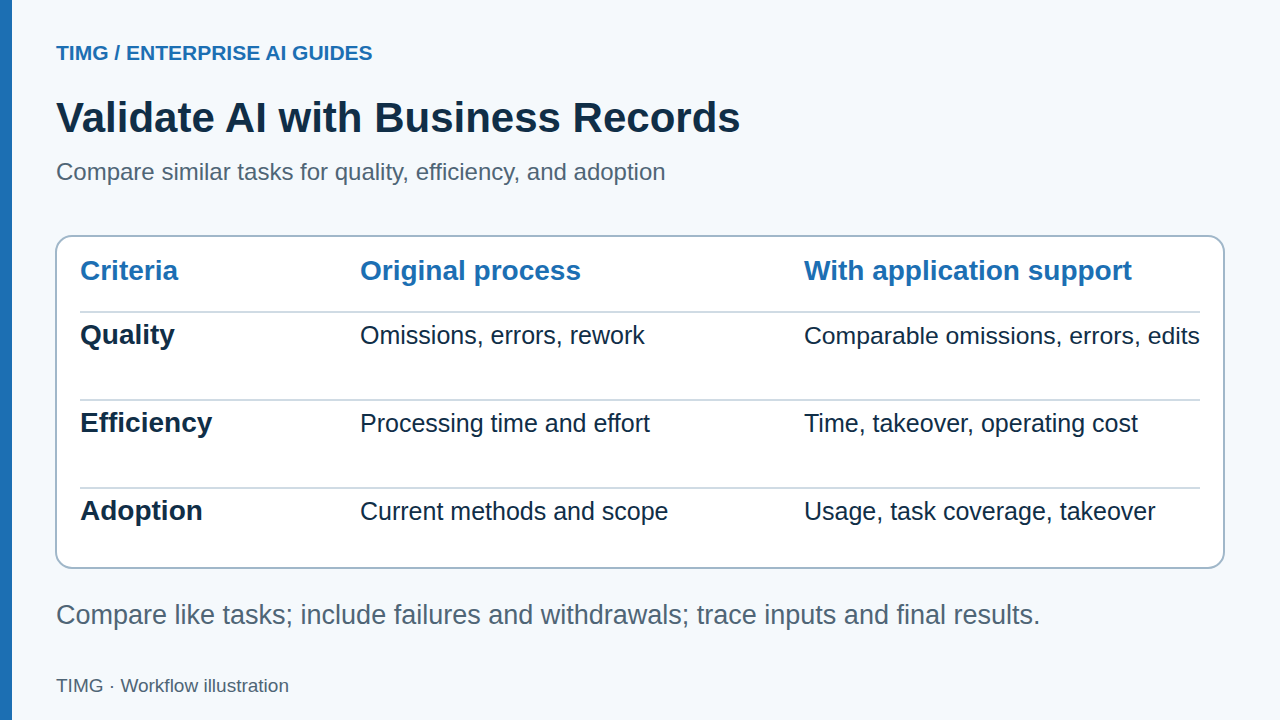
Distinguish quality, efficiency, and usage
Fast processing with many errors, or complete functionality that nobody uses, does not demonstrate successful implementation. Metrics should reflect output usability, improvements in work, and sustained user adoption together.
- Quality: errors and rework
- Efficiency: processing time and human effort
- Usage: task coverage and takeover
Connect records to specific tasks
Each run should link to inputs, outputs, manual edits, exceptions, and the final business status. Metrics must be traceable to original tasks to prevent double counting or omission of failures.
- Retain task IDs and sources
- Include failures and withdrawals in metrics
- Distinguish system suggestions from final human results
Lighting export example: from inquiry to quotation
Compare requirement preparation time, omitted fields, and salespeople's rework for similar inquiries, then assess whether quotation preparation runs more smoothly. Sales also depend on products, prices, lead times, and sales follow-up, so they cannot be attributed directly to AI alone.
For example, if organizing inquiry requirements becomes faster but parameter checks and follow-up questions increase, include that additional time in the full process. First check for missing required fields or authoritative information, then decide whether to adjust inputs, verification rules, or automation scope.
- Compare by task type
- Record time spent confirming prices and lead times
- Do not measure only successfully completed samples
Use reviews to decide whether to expand or adjust
Discuss expanding data access or automated action permissions after meeting agreed criteria. For steps with concentrated errors or excessive maintenance burden, identify causes and adjust the approach first.
- Examine both client value and maintenance effort
- Turn real feedback into the next evaluation round
- Confirm responsibilities and boundaries before expanding
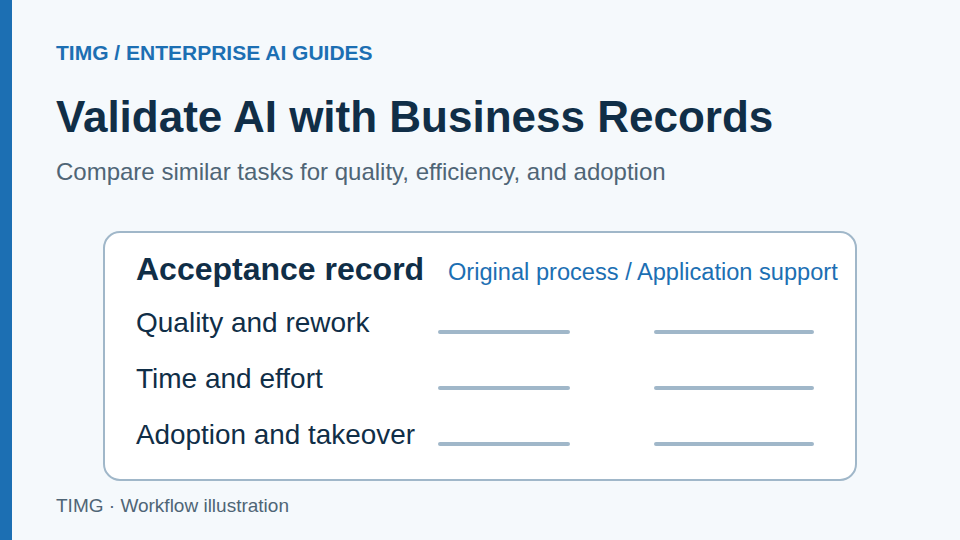
Record acceptance evidence for every task
Prepare the following materials and review each item with the business owner. The specific fields and criteria should reflect the workflow you select.
- Retain task ID, type, input source, and reference result, distinguishing common tasks from difficult samples.
- Record total processing time, human review time, field errors, rework, and final business status.
- Track failures, withdrawals, duplicate submissions, and human handovers separately; do not remove them from the metrics.
- Compare baseline and pilot results by task type, stating uncovered scope, ongoing maintenance costs, and the acceptance decision.
Frequently asked questions
A pilot demonstration performs well. What further evidence is needed for formal acceptance?
Use real tasks confirmed by the business team, covering common inputs, different levels of complexity, and exceptions such as missing information, unauthorized requests, and duplicate submissions. Check destination records and subsequent handover outcomes. Measure quality, processing time, manual edits, and operating costs separately. Record failure causes and applicable scope to produce an acceptance decision that can be reviewed.
If processing is faster but manual review and rework increase, how should the value be assessed?
Compare total time from task receipt to completion, including review, obtaining missing information, corrections, and handover. Also check the impact of errors and the quality of downstream records. Group by task type to identify which inputs or steps add work, then decide whether to adjust rules, narrow automation scope, or continue improving.