
Find candidate workflows in everyday work
Work with users to list repetitive tasks involving organization, lookup, data entry, and handover. Record volumes, common errors, and reasons for waiting, rather than deciding what to tackle first from a demonstration alone.
- Involve the business owner
- Observe the current process
- Record both routine and difficult tasks
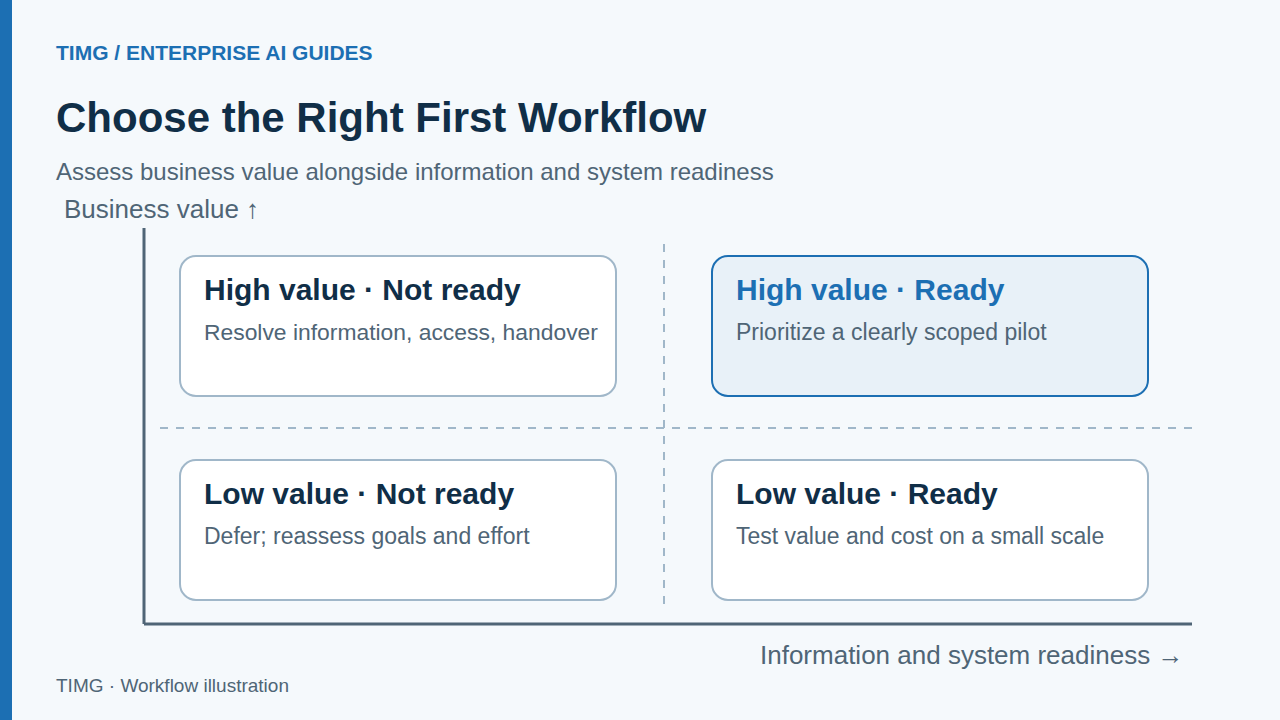
Decide whether the work is worth doing
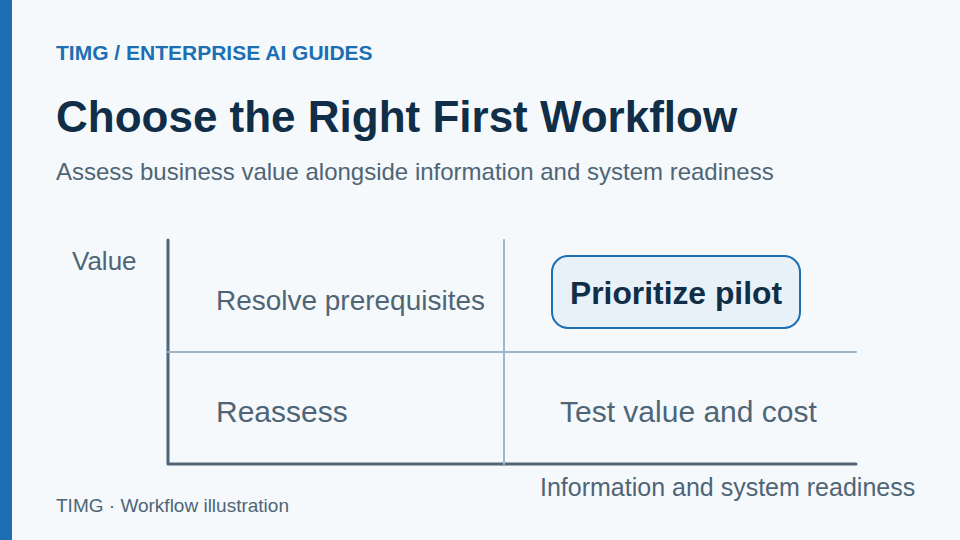
Consider the potential improvement alongside information readiness, system connectivity, and affordable maintenance. Frequent work with clear boundaries usually offers a more readily testable starting point.
- Value: time, errors, and coordination effort
- Readiness: information, systems, and staff participation
- Cost: delivery and ongoing maintenance
Define what the application may do first
Specify what it may read, which actions are allowed, approval points, and stop conditions. A workflow can combine automatic processing, suggested drafts, and human judgment; it need not be fully automated from the outset.
- Authorize critical actions separately
- Preserve status and sources when something fails
- Assign a clear owner for human takeover
Lighting export example: organizing inquiry requirements
Start by extracting requested products and specifications, flagging missing information, and organizing customer records. Once this work is reliable, consider quotation preparation and order coordination instead of connecting every process at once.
For example, limit the initial scope to organizing requirements after a purchasing inquiry arrives and handing them to a salesperson for confirmation. Include the customer's original wording, candidate models, quantities, and missing specifications. Do not fill in an unspecified voltage from a similar order. Compare preparation time, omissions, and manual edits during acceptance; scope quotations and order placement separately.
- Validate with salespeople's actual tasks
- Keep prices and lead times subject to confirmation
- Expand system coverage after meeting the criteria
Use pilot results to decide what comes next
At the end of the pilot, establish whether users adopt it, quality meets requirements, maintenance is manageable, and the approach can be reused for similar workflows. Preserve problems and limitations as evidence for the next stage.
- Compare results with agreed acceptance criteria
- Review failures and rework
- Record why to continue, adjust, or defer
Define the starting point with a pilot brief
Prepare the following materials and review each item with the business owner. The specific fields and criteria should reflect the workflow you select.
- Task: who initiates it, under what circumstances, and who ultimately receives the result.
- Baseline: volumes of comparable tasks, processing time, common omissions, and causes of rework.
- Readiness: whether the required information, system access, permissions, and participating staff are available.
- Decision: agree on usability criteria, trial scope, and review timing, with separate conditions for continuing, adjusting, or deferring.
Frequently asked questions
How should the first workflow be prioritized when several departments have requests?
Compare frequency, manual workload, the impact of errors, information readiness, and cross-system dependencies in one checklist. Favor workflows with a named owner, accessible real inputs, and results that feed subsequent work. If a critical step lacks permissions or confirmed business rules, resolve those prerequisites first and record the reasons for selection or deferral.
Once the first pilot passes, how can you decide whether to expand to another department?
First check whether task completion, exception takeover, costs, and maintenance ownership are stable in real use. Then compare the new department's information, rules, permissions, and systems. Keep reusable components and revalidate differences. Expand after identifying new owners and acceptance scope, rather than applying a single pilot's results unchanged.